
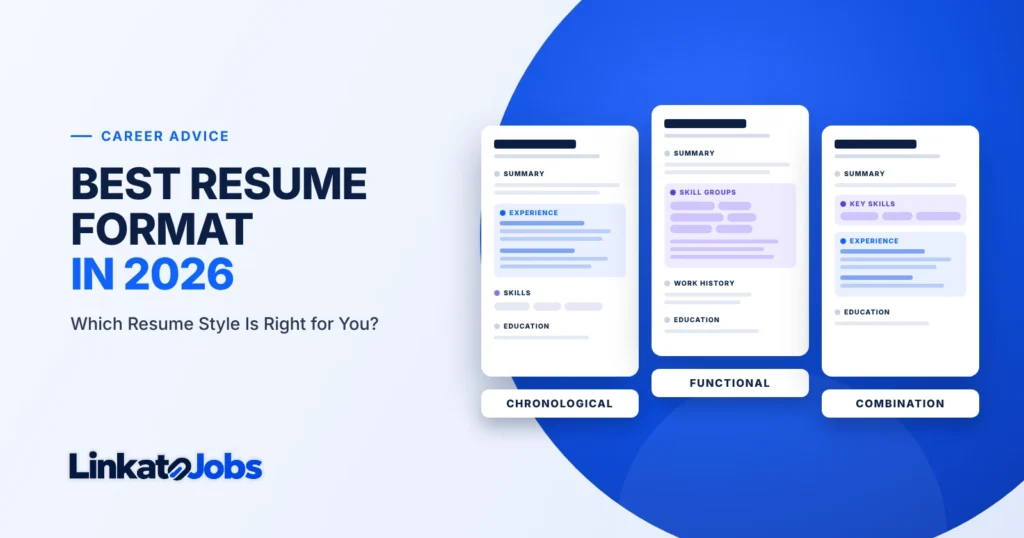
For most job seekers in 2026, the best resume format is reverse chronological: your most recent job first, with clear job titles, employers and dates. It’s the layout recruiters expect to see and the easiest one for them to check. But it isn’t the right answer for everyone. If you’re changing careers, returning after a long break or applying with mostly transferable skills, a combination (hybrid) format can present you better. A purely functional format is the one to handle with the most care.
This guide compares the three formats side by side, shows a full example of each, and gives you a decision guide for 13 different career situations, so you can pick a structure with confidence instead of guessing.
- Steady work history in your field? Use reverse chronological.
- Changing careers, returning to work, or strong skills from varied roles? Use a combination resume, and keep your work history clearly dated.
- Thinking about a functional resume? Consider a combination resume first. Many recruiters find skills-only layouts hard to verify, and some read them as an attempt to hide something.
- Whatever you choose: use standard headings, a simple single-column layout and consistent dates, and follow any format the employer asks for.
- The three main resume formats
- Reverse chronological resume
- Functional resume
- Combination (hybrid) resume
- Side-by-side comparison
- Which format should you choose?
- Chronological resume example
- Functional resume example
- Combination resume example
- Resume formats and ATS
- Resume layout and formatting
- Common formatting mistakes
- Format selection checklist
- Resume format FAQ
The three main resume formats
A resume “format” is the order and emphasis of your sections, not the template, font or colour scheme. Every format uses the same building blocks (contact details, summary, skills, experience, education). What changes is which block leads and how your work history is presented. The US Department of Labor’s CareerOneStop service describes the same three standard styles: chronological, functional and combination.
The three resume formats at a glance
Chronological
Leads with work history, newest job first
Best default for most candidates
Functional
Leads with skill groups; jobs listed briefly
Use with caution
Combination
Relevant skills first, then full dated history
Strong for career changers
Same building blocks, different emphasis. The blue block shows where each format puts its main weight.
1. Reverse chronological resume
Definition: a resume that lists your work experience in reverse date order, starting with your current or most recent job. Each role shows your job title, employer, location and dates, followed by achievement-focused bullet points. “Chronological” and “reverse chronological” are used interchangeably; in practice, almost every chronological resume today runs newest first.
Typical structure
- Name, professional headline and contact details
- Professional summary (3–4 lines)
- Core skills (a short, scannable list)
- Professional experience, newest first
- Education
- Certifications, licences, languages or projects (as relevant)
Who it suits: anyone with a steady work record in the field they’re applying to, especially candidates whose job titles show progression. It suits most professionals, from a graduate with internships through to a senior manager.
- The format recruiters see most, so it’s quick to scan.
- Shows career progression and recent experience at a glance.
- Makes your claims easy to verify: every achievement sits under a dated role.
- Straightforward for applicant tracking systems to read.
- Makes employment gaps and short stints visible.
- Can bury your most relevant experience if it was several jobs ago.
- Less helpful if your past job titles don’t match the job you want.
ATS considerations: systems typically try to extract job titles, employers and dates from your experience section. A chronological layout with a heading such as “Professional Experience” and one consistent date style gives them the clearest pattern to work with. That doesn’t guarantee perfect parsing (every system is different), but it removes the most common sources of confusion.
Practical recommendation: start here unless you have a specific reason not to. If you have a gap, you can usually explain it in one honest line within the timeline rather than switching formats.
2. Functional resume
Definition: a resume organised around skill areas (for example “Customer Service”, “Operations” or “Team Leadership”) rather than jobs. Achievements are grouped under each skill heading, and the work history appears near the end as a short list, sometimes without dates.
Typical structure
- Name, headline and contact details
- Summary or objective
- Two to four skill groups, each with achievement bullets
- Brief work history (title, employer, dates)
- Education and training
Who it suits: CareerOneStop lists people with no previous employment, career changers, frequent job changers and those with gaps as possible users of this style. In practice, it works best where the employer explicitly welcomes it, or in some creative and project-based fields.
- Puts transferable skills in the spotlight.
- Reduces focus on unrelated job titles.
- Can group experience from volunteering, freelancing and study.
- Recruiters can’t easily tell where or when you used each skill.
- Can be read as hiding gaps, short jobs or a lack of experience.
- Skills detached from roles may be weighted less in keyword searches.
- Often becomes wordy and generic.
CareerOneStop notes that functional resumes can be “viewed with suspicion by employers” because they give little detail about specific employers and dates. Employment specialists at JVS Toronto make a similar point: recruiters reviewing many applications don’t have time to work out which job produced which achievement. The fix isn’t to hide your history; it’s to connect your skills to it, which is exactly what a combination resume does.
ATS considerations: a functional resume can still be read by an applicant tracking system, but the system may not be able to link your skills to a job title or a timeframe. If an employer filters or sorts by recent experience in a specific role, a resume without clear dated roles may show up less favourably. Always include a dated work-history section.
Practical recommendation: use a functional resume only if a combination resume genuinely doesn’t work for your situation, and never remove your work history or dates entirely.
3. Combination (hybrid) resume
Definition: a resume that opens with a focused skills section (often with brief evidence for each skill) and then gives a full reverse-chronological work history. It’s sometimes called a hybrid resume. It shouldn’t be confused with a two-column “modern” template: the word “hybrid” here refers to section order, not visual layout.
Typical structure
- Name, target headline and contact details
- Professional summary that explains your direction
- Key skills or “Relevant Strengths”, three to five areas, each backed by a specific example
- Professional experience, newest first, with dates
- Education, training and certifications
- Projects, volunteering or portfolio (if they add relevant evidence)
Who it suits: career changers, people returning to work, candidates whose most relevant work is in projects or side roles, and experienced professionals with a broad set of specialist skills.
- Leads with what’s relevant to the target job.
- Keeps a full, verifiable timeline.
- Gives context to transferable skills.
- Works for both early-career and senior candidates.
- Takes more effort to write well.
- Risk of repeating the same points in the skills and experience sections.
- Can run long if both sections are fully developed.
ATS considerations: because it includes a standard dated experience section, a combination resume generally gives applicant tracking systems the same structured information as a chronological one. Keep the skills section as plain text (no rating bars or icons) and use standard headings.
Practical recommendation: make each skill in the top section point to evidence that also appears in your work history. If the skills section says you trained 40 staff, the matching job entry should show where and when.
Chronological vs functional vs combination: side-by-side comparison
Use this table to compare the formats on the points that matter most to the people reading your resume. Swipe sideways on mobile to see every column.
| Factor | Reverse chronological | Functional | Combination (hybrid) |
|---|---|---|---|
| Main emphasis | Work history and progression | Skill areas | Relevant skills, backed by work history |
| Work history visibility | High: every role dated and detailed | Low: roles listed briefly at the end | High: full dated history after skills |
| Skills emphasis | Moderate: shown through job bullets and a short skills list | Very high | High, with evidence |
| Ideal candidates | Steady history in the same field; most professionals | Limited cases where the employer welcomes it; some creative or portfolio-led roles | Career changers, returners, specialists with broad skills |
| Recruiter readability | Familiar and fast to scan | Harder to verify; can raise questions | Clear if the skills section is short and specific |
| Potential ATS parsing considerations | Clear titles, employers and dates to extract | Skills may not link to a role or timeframe | Similar to chronological if dated experience is kept standard |
| Advantages | Expected, credible, shows growth | Spotlights transferable skills; downplays unrelated titles | Balances relevance and transparency |
| Disadvantages | Exposes gaps; relevant work may sit lower down | Can look evasive; often generic | More work to write; risk of repetition and length |
| Overall | Default choice | Use with caution | Strong alternative |
No format guarantees an interview or “passes” every applicant tracking system. A format only helps the reader find your evidence faster. The content still has to match the job.
Which resume format should you choose?
Start with three questions: Is your recent experience relevant to the job? Is your timeline mostly continuous? Do your past job titles make sense for this role? If the answer to all three is yes, use reverse chronological. If one is no, a combination resume is usually the better tool.
Quick decision guide
Your recent jobs are in the same field as the job you want.
ChronologicalYour history is your strongest evidence, so lead with it.You’re moving into a new field, and your skills transfer but your job titles don’t.
CombinationLead with the relevant skills, then show where you used them.You have a gap of a year or more, or you’re returning to work.
CombinationOr chronological with a one-line, honest note on the gap.You’re a graduate with internships, projects or part-time work.
ChronologicalPut education first, then experience in date order.The employer specifically asks for a skills-based CV.
FunctionalFollow the employer’s instructions, and still include a short dated history.Recommended format by career situation
| Situation | Recommended format | Why |
|---|---|---|
| Fresh graduates | Chronological, education first | Your degree is your most recent and relevant credential. Follow it with internships, projects and part-time work in date order. |
| Entry-level candidates | Chronological (or combination if experience is unrelated) | Short histories are normal at this stage. If your jobs were in retail or hospitality and you’re applying for an office role, a short “relevant skills” section helps connect the two. |
| 3–5 years of experience | Chronological | You have enough relevant experience to let it lead. Focus on results in your two most recent roles. |
| 10+ years of experience | Chronological | Give detail to the last 10–15 years and summarise earlier roles in a line or two each. Older detail rarely helps. |
| Managers and executives | Chronological, with a strong summary | Hiring panels want to see scope (team size, budget, markets) and progression. A short “selected achievements” block under the summary can work well. |
| Career changers | Combination | Bridges the gap between old titles and new targets without hiding your timeline. |
| Employment gaps | Chronological or combination | Keep dates visible. A brief honest line (for example “Career break: family care”) is usually better than a format that obscures the timeline. |
| Freelancers and consultants | Chronological or combination | Group client work under one dated freelance entry, with selected projects as bullets, rather than listing every short contract as a separate job. |
| Technical professionals | Chronological or combination | Add a short technical skills section near the top (tools, languages, platforms), but show where you used them in each role. |
| Healthcare professionals | Chronological | Licences, registrations, clinical settings and dates often need to be easy to verify. Put licensing details where they can’t be missed. |
| Engineers | Chronological | Projects, scale and responsibilities over time matter. Note project value, sector and your role on each. |
| IT professionals | Chronological or combination | Combination works well when moving between specialisms (for example support to cloud), using certifications and projects as evidence. |
| Sales professionals | Chronological | Targets and results by period are your strongest proof, so keep them tied to dates and roles. |
If you’re torn between two formats, write the version you’d use for your most likely next job. Most people find the reverse chronological version only needs a stronger summary and a sharper skills section, not a different structure. For step-by-step help on each section, see our guide on how to write a professional resume.
Chronological resume example
The candidate below is fictional. She has seven years of accounting experience and is applying for a senior accountant role, which makes this a textbook case for a reverse chronological resume.
Sara Haddad
Senior Accountant | IFRS Reporting | Month-End Close
Dubai, UAE · +971 50 555 0142 · sara.haddad@example.com · linkedin.com/in/sarahaddad-example
Accountant with 7 years’ experience in trading and professional services, specialising in IFRS reporting, month-end close and audit preparation. Led a close-process redesign that cut reporting time from 9 to 5 working days. ACCA qualified, with advanced Excel and SAP experience.
- IFRS financial reporting
- Month-end and year-end close
- Account reconciliations
- VAT compliance (UAE)
- SAP S/4HANA, Excel (Power Query)
- Audit preparation
Northgate Trading LLC, Dubai
- Redesigned the month-end close checklist and reconciliation templates, reducing close from 9 to 5 working days.
- Prepared quarterly IFRS management accounts for 3 subsidiaries and presented variances to the CFO.
- Coordinated the annual external audit, with no material adjustments in two consecutive years.
Crescent Audit & Advisory, Sharjah
- Managed accounts payable and receivable for a portfolio of 25 SME clients.
- Prepared VAT returns and supporting schedules after the UAE VAT rollout.
University of Sharjah
- ACCA (Association of Chartered Certified Accountants), 2022
Copy the chronological resume structure
FULL NAME
Target Job Title | Specialism | Specialism
City, Country · Phone · Email · LinkedIn

PROFESSIONAL SUMMARY
[Years] of experience in [field], specialising in [2–3 strengths].
[One measurable achievement]. [Key qualification or tools].

CORE SKILLS
Skill · Skill · Skill · Skill · Skill · Skill

PROFESSIONAL EXPERIENCE
Job Title                                         Mon YYYY – Present
Employer, City
- Action + task + scale + result
- Action + task + scale + result

Job Title                                         Mon YYYY – Mon YYYY
Employer, City
- Action + task + scale + result

EDUCATION
Degree, Institution                                            YYYY

CERTIFICATIONS
Certification name, Issuing body, YYYY
Functional resume example
This fictional candidate is returning to work after a three-year career break and applying for an office coordinator role. Her experience is spread across short contracts and volunteering, which is the kind of situation where people consider a functional resume. Notice that the work history is still included, with dates and an honest note about the break.
Lina Mansour
Office Coordinator | Scheduling | Records & Administration
Abu Dhabi, UAE · +971 55 555 0187 · lina.mansour@example.com
Organised administrator with 6 years’ experience across office support, front desk and event coordination, returning to full-time work after a planned career break. Fluent in English and Arabic; confident with Microsoft 365 and booking systems.
- Maintained digital filing for a 30-person office and migrated paper records to SharePoint.
- Processed purchase orders and supplier invoices, matching them to delivery notes.
- Managed calendars for 4 senior managers, arranging meetings across three time zones.
- Coordinated logistics for a 150-guest community fundraising event as a volunteer.
- Handled reception, phone and email enquiries for a busy clinic front desk.
Diploma in Business Administration, 2017 · Microsoft 365 Fundamentals course, 2026
The achievements read well, but a recruiter can’t tell which job produced which result. Was the SharePoint migration at the engineering firm or the clinic? Was the calendar management recent? This is why many hiring managers prefer the combination version: the same content, with each bullet tied to its role.
Copy the functional resume structure
FULL NAME
Target Job Title | Strength | Strength
City, Country · Phone · Email

PROFESSIONAL SUMMARY
[Years] of experience in [areas]. [Context, e.g. returning after a career break].
[Languages, tools or qualifications].

SKILL AREA 1 (matching the job ad)
- Achievement with context and result
- Achievement with context and result

SKILL AREA 2
- Achievement with context and result

SKILL AREA 3
- Achievement with context and result

WORK HISTORY
Job Title, Employer                                       YYYY – YYYY
Career break: reason (optional, brief)                    YYYY – YYYY

EDUCATION & TRAINING
Qualification, Institution, YYYY
Combination resume example
This fictional candidate is a secondary school teacher moving into corporate learning and development (L&D). His job titles don’t match the target role, but much of his work does. A combination resume lets him lead with those relevant skills and then prove them with a normal, dated work history.
Daniel Okafor
Learning & Development Specialist | Training Design | Facilitation
Riyadh, Saudi Arabia · +966 50 555 0163 · daniel.okafor@example.com · linkedin.com/in/danielokafor-example
Teacher with 8 years’ experience designing and delivering training to groups of 20–200, now moving into corporate L&D. Built a staff onboarding programme adopted across a 3-campus school group. CIPD Level 5 learning and development qualification in progress.
- Training design: wrote a 6-module onboarding programme for new staff, now used on 3 campuses.
- Facilitation: led 30+ professional development workshops for teachers and support staff.
- Learning technology: built self-paced courses in Moodle and Articulate Rise.
- Evaluation: designed feedback surveys and used results to revise sessions each term.
Green Valley International School, Riyadh
- Designed and launched the staff onboarding programme, cutting new-teacher induction from 3 weeks to 8 days.
- Planned and facilitated termly workshops for 60 staff on assessment and classroom technology.
Lakeside Secondary School, Lagos
- Moved coursework to Moodle, creating 40 self-paced lessons used by 5 classes.
CIPD Level 5 Associate Diploma in Organisational Learning & Development (in progress, 2026) · BSc Education (Biology), 2017
When this approach helps: it’s most useful when your best evidence for the new role comes from responsibilities beyond your job title, from projects, or from training you’ve just completed. If your skills section starts repeating your experience bullets word for word, you probably don’t need it, and a chronological resume will be tighter.
Copy the combination resume structure
FULL NAME
Target Job Title | Relevant Skill | Relevant Skill
City, Country · Phone · Email · LinkedIn

PROFESSIONAL SUMMARY
[Current role] with [years] of experience in [transferable areas], moving into [target field].
[Achievement that proves fit]. [New qualification or training].

KEY SKILLS
- Skill 1: one line of evidence (what, where, result)
- Skill 2: one line of evidence
- Skill 3: one line of evidence

PROFESSIONAL EXPERIENCE
Job Title                                         Mon YYYY – Present
Employer, City
- Bullet that supports Skill 1
- Bullet that supports Skill 2

Job Title                                         Mon YYYY – Mon YYYY
Employer, City
- Bullet that supports Skill 3

EDUCATION & CERTIFICATIONS
Qualification, Institution, YYYY (or "in progress")
Resume formats and ATS: what actually matters
Many employers use an applicant tracking system (ATS) to collect and organise applications. When it comes to format, the question isn’t “chronological or functional?” so much as “can the system, and the person using it, find my information?” These formatting choices matter most:
ATS-friendly formatting: do and don’t
- Use standard headings: Summary, Skills, Experience, Education
- Keep text as real text, in a common font
- Put job title, employer and dates on each role
- Use one date style throughout (Mar 2022 – Present)
- Mirror relevant wording from the job ad naturally
- Send the file type the employer asks for
- Rename headings creatively (“My Journey”, “Superpowers”)
- Put key details in images, icons, headers or footers
- Build the layout from tables or text boxes
- Rely on complex multi-column designs
- Use skill bars or star ratings in place of words
- Stuff keywords or hide text in white font
- Clear headings: standard section names help both software and people find your information.
- Readable text: text exported from a word processor is generally safer than text that’s part of a design image.
- Standard sections: every format above uses the same core sections; only the order changes.
- Dates and job titles: these are the details most often extracted and checked, so keep them on the same line as each role.
- Tables and columns: some systems read multi-column layouts out of order. A single-column layout is the lower-risk option.
- PDF vs DOCX: a text-based PDF keeps your layout fixed; DOCX is sometimes requested by employers and agencies. Follow the instructions in the job ad.
- Keyword relevance: use the job ad’s terms where they truthfully describe your experience, inside real sentences and bullets. Our resume keywords guide shows how to find and match them.
For a full walkthrough of how applicant tracking systems work, how to choose keywords and how to test your file, read our ATS-friendly resume guide, including its section on PDF vs DOCX.
Resume layout and formatting guidelines
Once you’ve chosen a format, the layout decides how easy it is to read. The ranges below are common, sensible starting points, not universal rules. Employers, countries and industries differ, and a specific instruction in a job ad always comes first.
| Element | Practical guidance |
|---|---|
| Font | A clear, widely available font such as Calibri, Arial, Helvetica, Garamond or Georgia. Use one font, or two at most (one for headings). |
| Font sizes | Body text commonly 10.5–12 pt depending on the font; section headings around 12–14 pt; your name larger (around 16–22 pt). |
| Margins | Around 1.5–2.5 cm (0.6–1 inch). Shrinking margins to fit more text usually hurts readability. |
| White space | Leave space between sections and roles so the eye can jump between them. |
| Section headings | Same style, size and spacing for every heading. Bold or small caps work well. |
| Bullet points | Typically 3–6 per recent role and fewer for older roles. Aim for one or two lines each, starting with a strong verb. |
| Dates | Pick one style (for example “Mar 2022 – Present”) and use it everywhere, aligned in the same place. |
| Length | One page is common for students and early-career candidates; two pages is normal for experienced professionals. Longer documents are more common for academic CVs and some senior or technical roles. |
| File format | Text-based PDF or DOCX, as requested. Name it clearly, for example Sara-Haddad-Resume-Senior-Accountant.pdf. Use the same style for your cover letter. |
| Visual hierarchy | Name, then headline, then section headings, then job titles. Use size and weight, not colour alone, to signal importance. |
| Photo and personal details | Regional. In the US, UK and Canada, photos are generally left off, and the UK National Careers Service advises leaving out age, date of birth, marital status and nationality. In parts of the Gulf, Europe and Asia, a professional photo, nationality or visa status is more commonly included or requested. Follow the norms of the country and employer. |
Common resume formatting mistakes (with fixes)
These mistakes come up regardless of which format you choose. Each one has a simple fix.
1. Overcomplicated layout
Three columns, a sidebar with icons, text boxes and a timeline graphic.
One column, clear headings and plain bullets. Use bold and spacing for structure.
2. Poor readability
9 pt light-grey text, narrow margins, dense paragraphs.
10.5–12 pt dark text, normal margins, short bullets.
3. Missing dates
Sales Executive, Gulf Retail Group
Sales Executive, Gulf Retail Group · Jan 2021 – Jun 2024
4. Excessive graphics
“Excel ★★★★☆” and a pie chart of your personality.
“Advanced Excel: Power Query, pivot tables, XLOOKUP”.
5. Inconsistent headings
WORK HISTORY · Education: · my skills
EXPERIENCE · EDUCATION · SKILLS (same style, every time)
6. Unnecessary personal details
Full home address, passport number, religion, and a list of hobbies unrelated to the job.
City and country, phone, email, LinkedIn, plus visa status or nationality only where it’s expected in that market.
7. Weak work-history presentation
“Responsible for handling customer accounts.”
“Managed 45 key accounts worth AED 6M a year; renewed 92% in 2024.” (illustrative)
8. Poor spacing
Different gaps between sections, roles running into each other, half-empty second page.
Equal spacing above every heading and role. Either fill the second page meaningfully or trim to one.
9. Keyword stuffing
“Project manager project management PMP project planning project manager.”
“Project Manager (PMP) leading 6 fit-out projects at once, from planning to handover.”
Resume format selection checklist
Tick each point before you send your resume. Your progress is shown as you go, and you can print the list.
- Choosing the format
- Structure
- Layout
- Before sending
Resume format FAQ
What is the best resume format in 2026?
For most candidates, reverse chronological: recent experience first, with clear titles, employers and dates. It’s familiar to recruiters and simple for applicant tracking systems to read. Career changers and people returning to work often do better with a combination format.
Is a chronological or functional resume better?
Chronological is the safer choice in most cases because it shows where and when you achieved things. A functional resume can highlight transferable skills, but it makes your history harder to verify. If you want the benefits of a functional resume, a combination resume usually gives them to you without that drawback.
What resume format do recruiters prefer?
Preferences vary, but CareerOneStop notes that most employers prefer the chronological style, and employment specialists such as JVS Toronto explain that recruiters want to see where and when each achievement happened. Some creative and portfolio-led fields are more flexible. The safest approach is to follow any instructions in the job ad.
Which resume format is best for ATS?
Any format with standard headings, real text, a single column and clearly dated roles. That describes a well-built chronological or combination resume. No format guarantees how every system will read it, so focus on clean structure and relevant content.
What format should a fresh graduate use?
Reverse chronological, with education near the top. Follow it with internships, part-time jobs, projects and volunteering, each with dates. If your experience is unrelated to the job, add a short relevant skills section under your summary.
What format should an experienced manager use?
Reverse chronological, led by a summary that states your scope: team size, budget, region or business area. A short “selected achievements” block can follow the summary. Give the most detail to the last 10–15 years and summarise earlier roles.
Is a two-column resume acceptable?
Sometimes. Many people read two-column designs without trouble, but some applicant tracking systems may read columns in the wrong order. If you’re applying through online portals, a single-column layout is the lower-risk option. Keep a designed version for networking or direct emails if you like it.
Should my resume be one or two pages?
There’s no universal rule. One page usually suits students and early-career candidates; two pages is common and acceptable for experienced professionals. Choose the length that fits your relevant evidence, and avoid a half-empty second page.
Should I send a PDF or a Word document?
Send whatever the employer requests. If there’s no instruction, a text-based PDF keeps your layout consistent, while DOCX is often preferred by recruitment agencies that edit or reformat resumes. Make sure a PDF is exported from a word processor, not scanned.
Can I use a combination resume for a career change?
Yes, it’s one of the best uses for it. Lead with three to five skills relevant to the new field, give a real example for each, then show your full work history. Add any new qualifications or projects that support the change.
Continue building your resume
Chosen your format? Start applying.
Browse current vacancies on LinkatoJobs by country, category and profession, and tailor your resume to each role.
Browse Jobs Jobs by CategorySources
- CareerOneStop (sponsored by the US Department of Labor), Resume styles.
- JVS Toronto, Ask the employment specialist: why employers hate functional resumes.
- National Careers Service (UK), CV sections.
This guide is general career advice from the LinkatoJobs editorial team. All resume examples, names, employers and figures are fictional illustrations. Expectations vary by country, industry and employer, so always follow the instructions in each job application.